

Your own story book.
Most people have a story they'd love to give someone, like a bedtime story starring their kid or grandchild, but writing a whole book feels out of reach. WonderBook lets anyone make a personalised story book, and the AI co-writer does the heavy lifting.
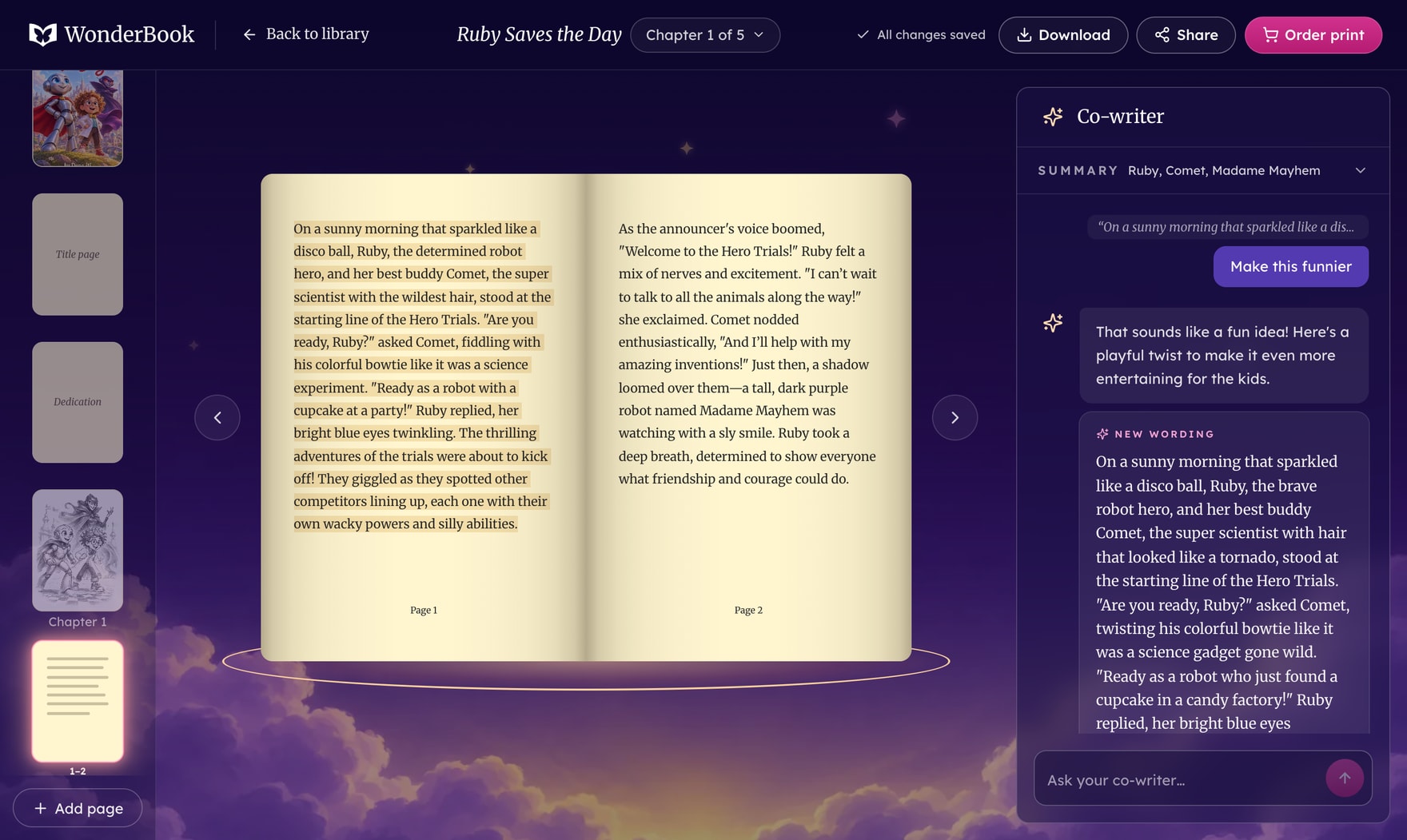
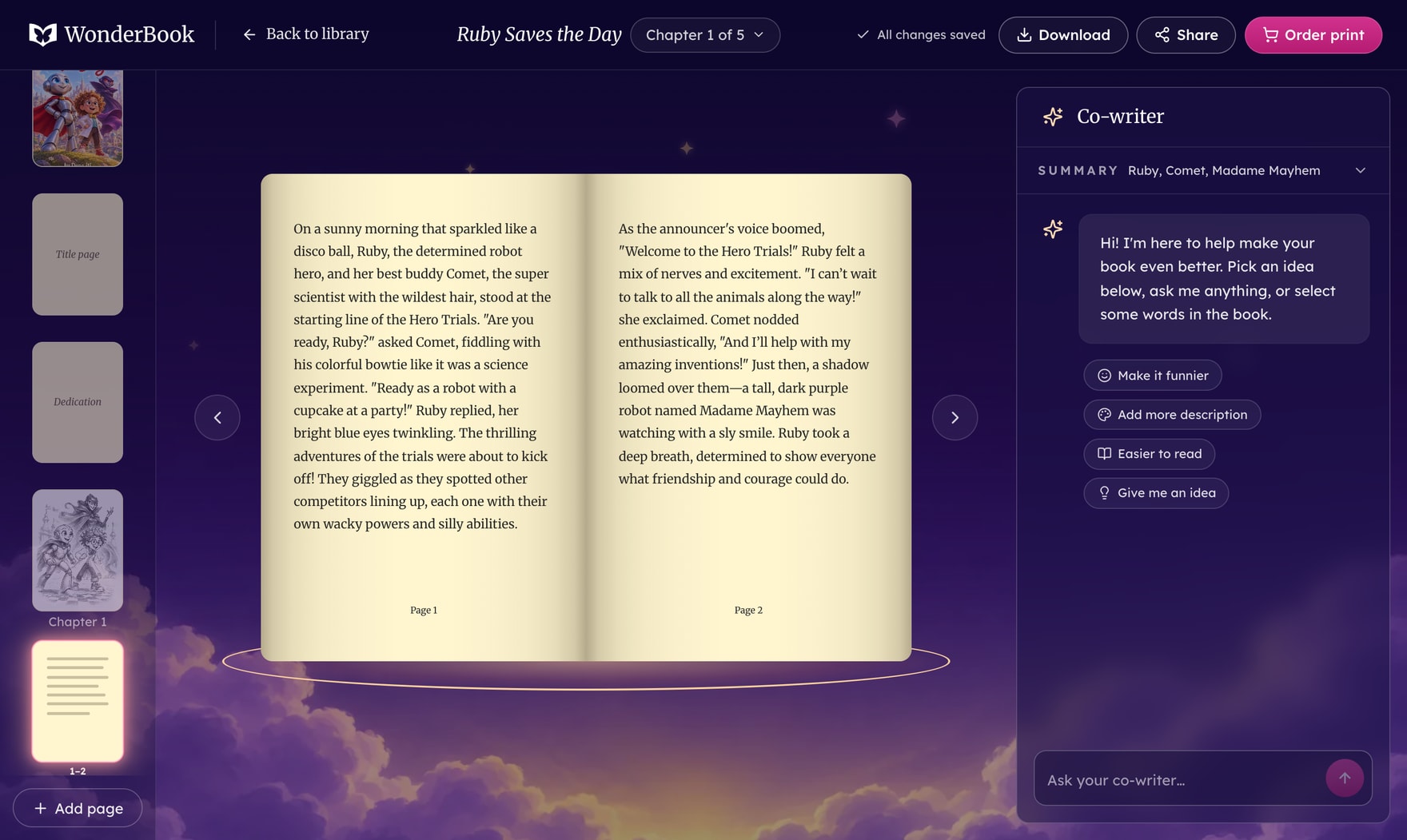
Making a page funnier with the AI co‑writer.
I started WonderBook in early 2024. I wanted anyone to be able to make a story that feels like theirs, not a generic one.
Most people aren't writers, and a blank page stops them. AI writing tools don't help much either. They forget. Characters drift, plot points vanish, and every new chapter reads like someone else wrote it. People spend their time re-explaining the story instead of writing it.
Watch me make a book
From signing in to picking a story, watching it come together and editing it with the co‑writer. Sound on.
Why it needed solving
Generic stories never get finished
If a story doesn't feel like yours, you stop caring what happens next.
Consistency is the whole job
A hero who forgets their own motivation breaks the story for the reader.
AI has to know its place
Too much automation and people check out. Too little and it feels pointless.
It has to feel like a real book
Books don't run text off the page. Endpapers, a dedication and chapter openers make it something you'd keep.
What I tried, and threw out
Letting AI write the whole thing
Testers checked out. It stopped feeling like their story.
AI as the assistant, not the author. It drafts, you steer.
Starting over to fix one chapter
Regenerating everything threw away the parts testers loved.
Editable chapters. Change what you want, regenerate the rest.
A form to fill in
The whole point was that people don't have to type. In early tests, almost everyone paused at the blank box.
One question per screen. Tap a picture, or type your own if you want.
A colour picture on every page
Not every page needs one, and colour prints differently on every paper.
One pencil sketch per chapter, with faded edges, so it prints well on any paper.
What I made
A welcome that sets the mood
The first screen already feels like a storybook. A painted night sky, a castle under the moon, and a promise of a real printed book with your child as the hero.
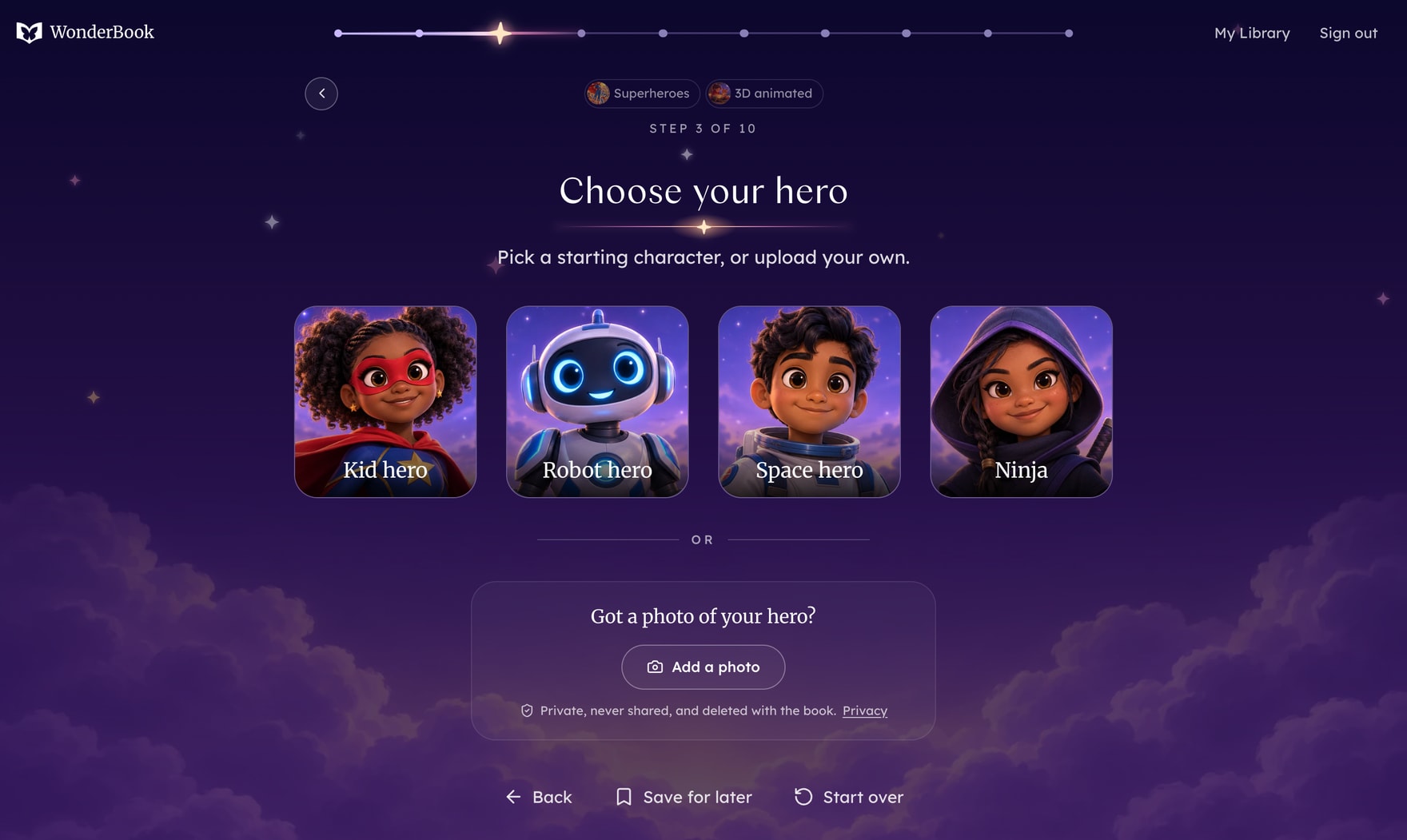
Custom Story DNA
Pick the story type, art style, hero, sidekick and mission, one tap at a time. You can also add a photo of the hero, and the book draws them in its own style.
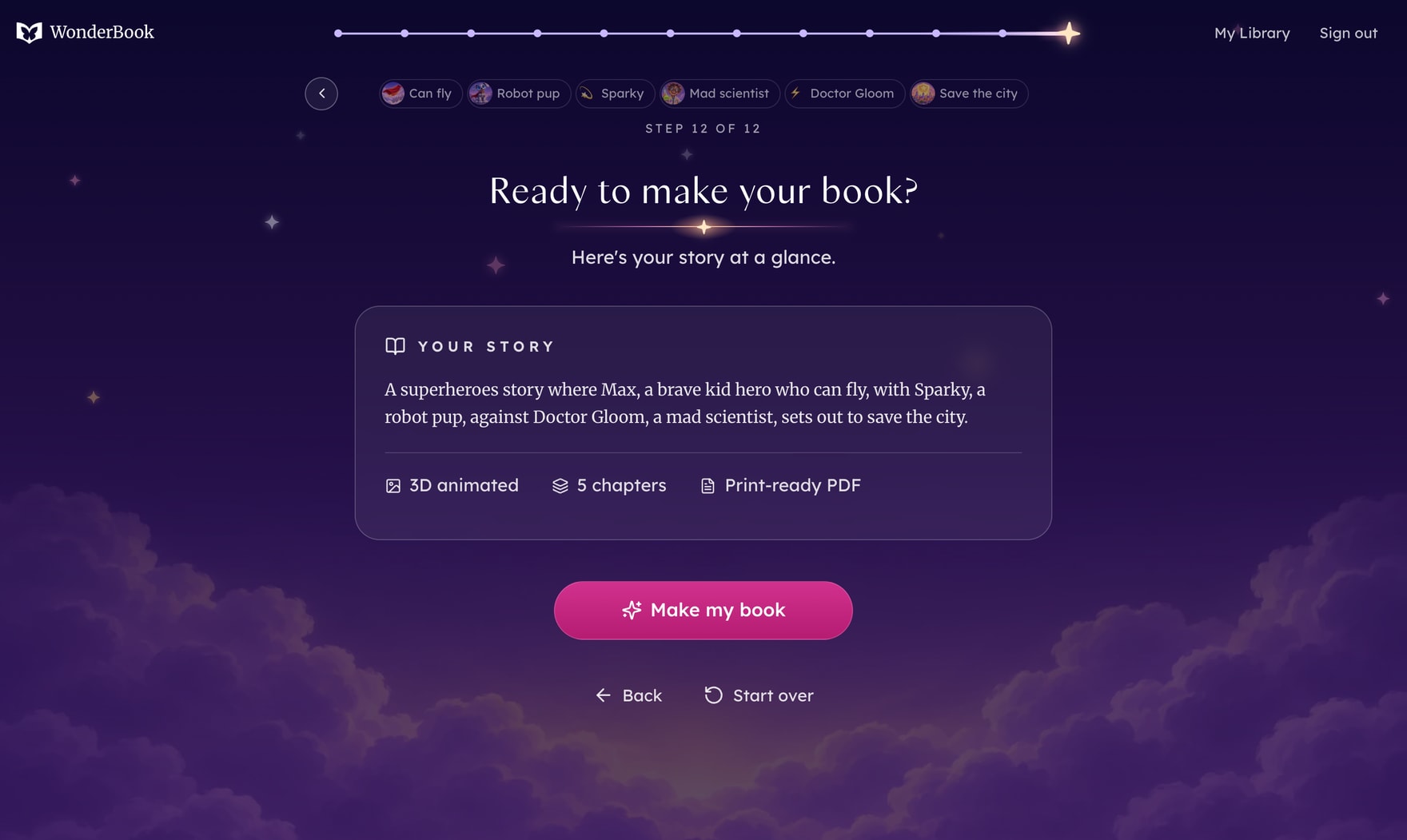
Your story at a glance
Before anything is made, you see the whole story in one line, with every choice you made.
AI co-writing on the open book
Edit right on the page. The co‑writer remembers the characters and what happened before, and quick ideas like Make it funnier change only the words you pick.
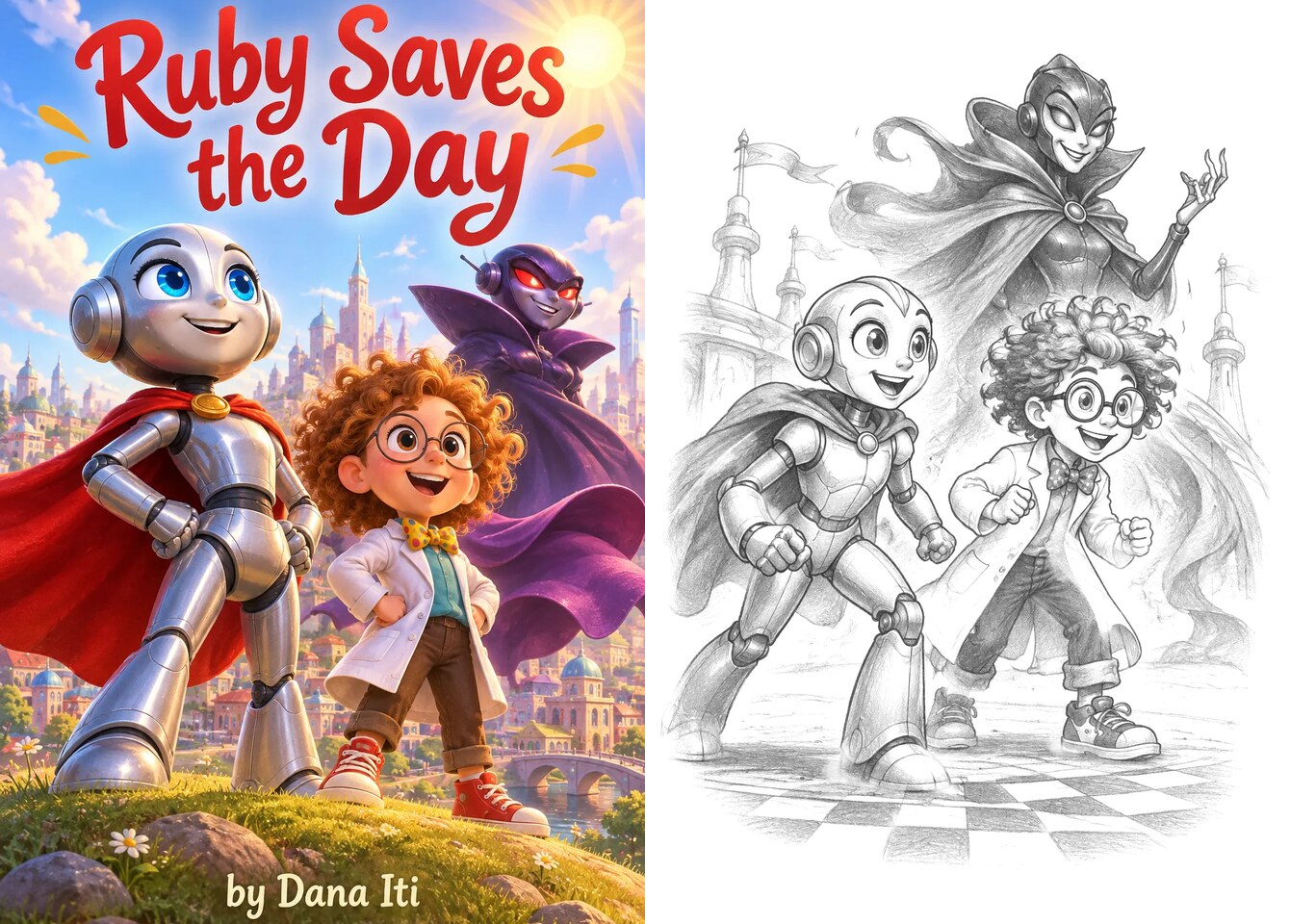
Illustrations and covers
Each book gets a painted cover in the art style you chose. Inside, every chapter opens with a black pencil sketch with soft, faded edges, so it looks right on any paper.
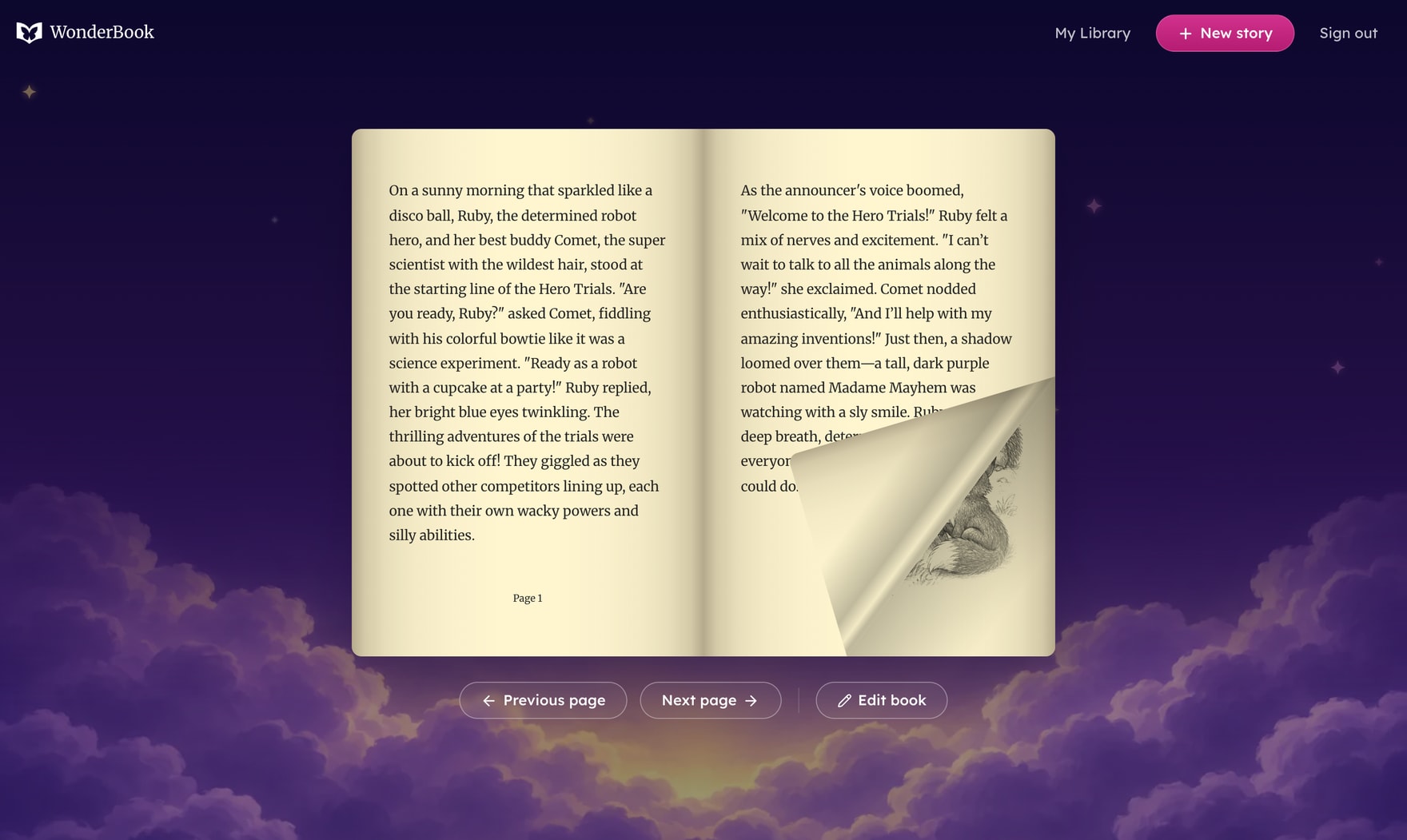
A reader that turns like a real book
Drag a page corner and it curls over like paper. The pages follow a real book's order, so it feels less like a screen and more like storytime.
A private library
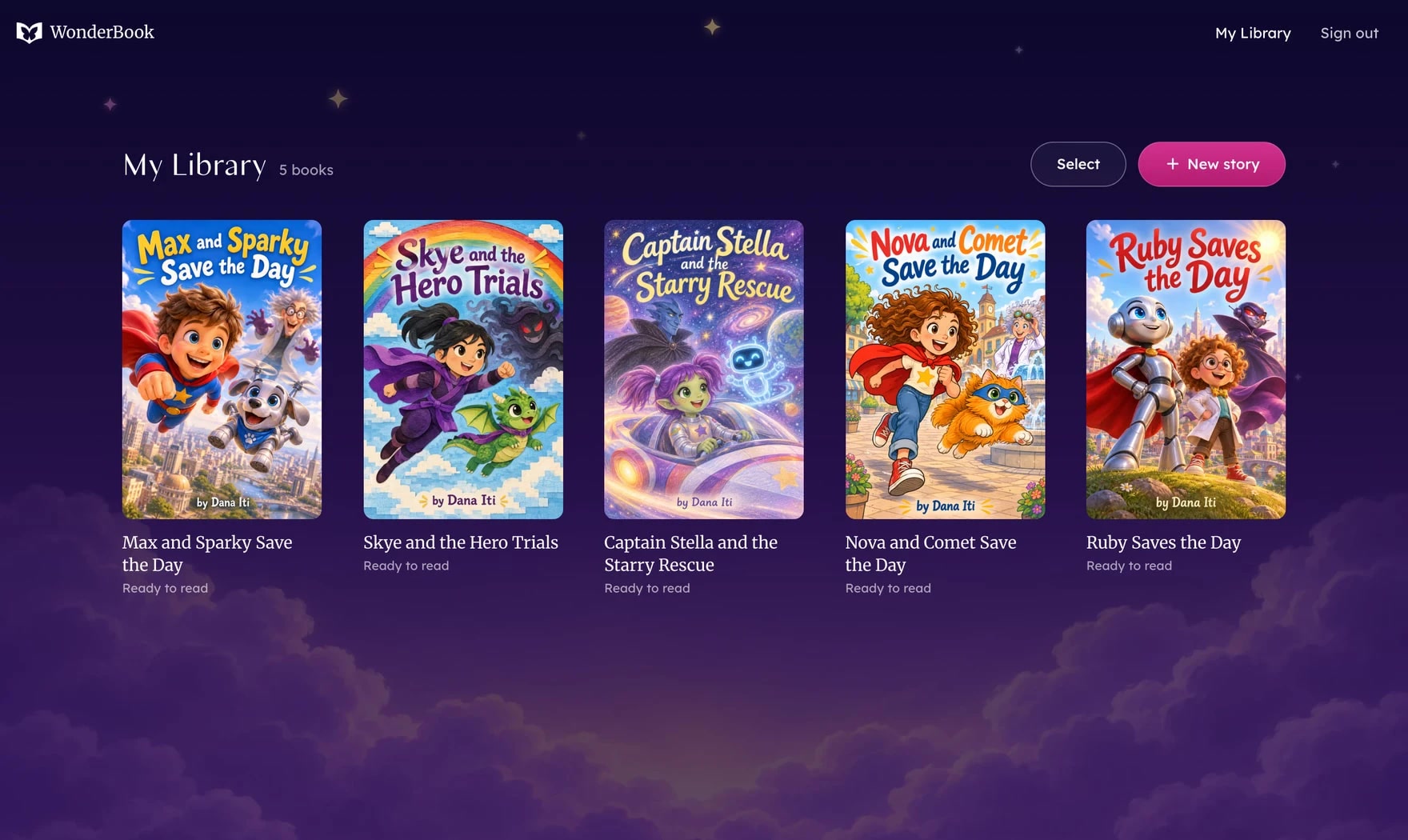
Every book you make sits on your own shelf. Flip one over to read the back cover, then read it, edit it or download it.
How you make a book
I wanted making a book to feel like a bedtime game, not a form. So you're asked one thing at a time.
First you pick a world. Adventure, animal friends, a fairy tale, a mystery, outer space or superheroes. Then how the pictures should look. Then your hero. And if you've got a photo of the child it's for, you can add it, and they'll be drawn right into the story.
Then you give them a name, decide what they're like and what makes them special, choose a sidekick (or not) and a troublemaker (or not), and pick their mission. At the end you see the whole story in one sentence. One tap, and it starts writing. About a minute later the whole book is ready, with its cover and every picture.
The little decisions that made it feel right
I took out the Continue button. Early on, every step ended with one, and it made the whole thing feel like admin. Now you tap a card and you're already on the next question. It sounds small, but it changed how the whole thing feels.
I also gave myself one rule. If a screen needs explaining, it isn't good enough yet. So every screen is just a question and a few choices, each with a picture. And if nothing fits, you can type your own.
I never wanted anyone to feel stuck. Your answers collect along the top as you go, so you can tap back to any of them and change it without losing the rest. You can save it for later, or start over and undo it if you didn't mean to.
Waiting is part of it too. Instead of a spinner, you watch the book come together. First it writes the story, then it draws the pictures, then it lays out the pages.
And I wanted it to feel like a real book in your hands. It has a title page and a dedication, and the pages turn. The chapter pictures are pencil sketches so they print beautifully on any paper. Words never run off a page. If one gets too full, it offers to move the extra words on, or shorten them.
The co‑writer was the hardest balance. I wanted it to help without taking over. So it never just changes your story. It shows you exactly where its new words would go, and you decide.
Last, it's for kids, so safety isn't optional. Every word and picture is checked. A photo of the child is always drawn in the book's style, never as a photo. It stays private, and it's deleted with the book. Every download is an accessible, print-ready PDF, so the book works for every reader.
The result
- You never lose progress, and you never have to start over to change something.
- Every book downloads as an accessible PDF, with headings, a description for every picture and no single words left alone on a line.
- What I took away: AI works best when it helps without taking over. I kept AI as the assistant, not the author.
Read a book made in WonderBook
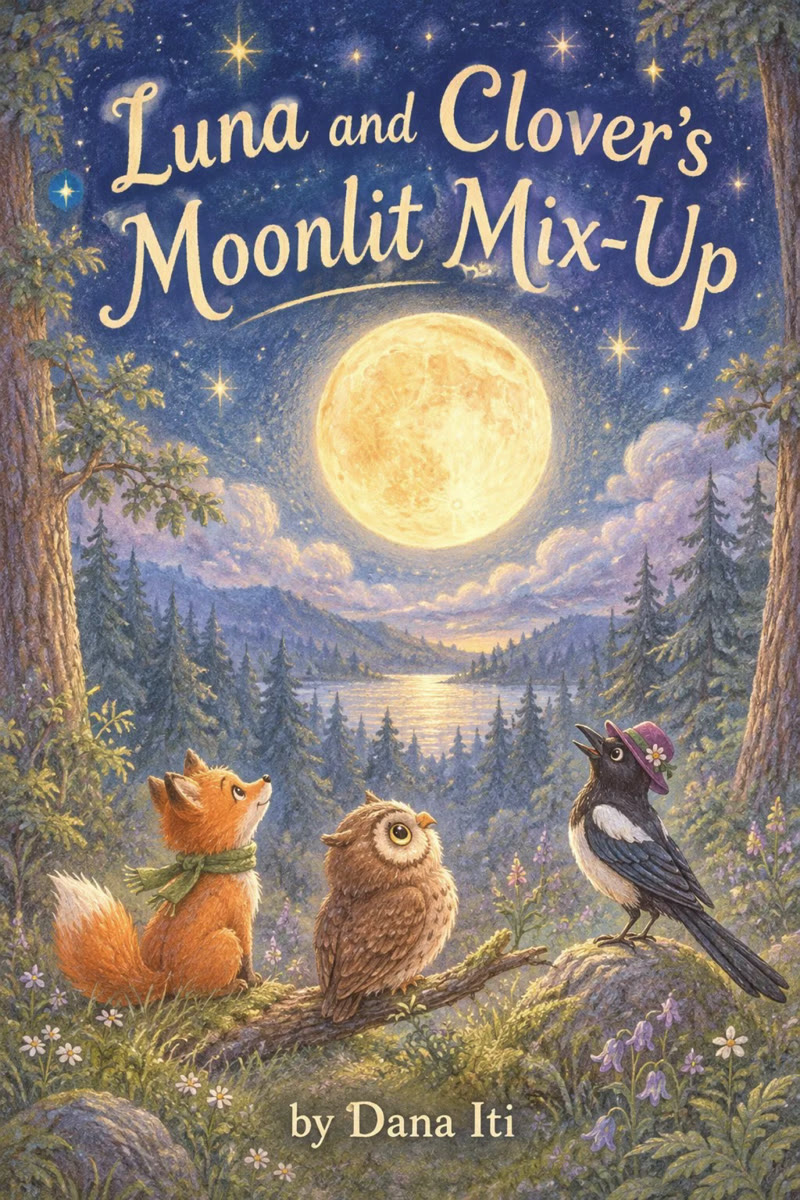
Luna and Clover's Moonlit Mix‑Up, exactly as the app made it. It's the same accessible, print‑ready PDF you download.
Read how I’m trying to solve it